4.0 Architecture Overview
Category 4: Core Workflows. This is where we write the "Playbook" for n8n—defining exactly what happens when a deal starts, how a document is drafted, and how the approval loop functions.
The Playbook for n8n.
In Category 2, we built the Brain (Supabase). In Category 3, we built the Ears (AgentMail). Now, we define the Logic (n8n).
This category breaks down the automation engine into four distinct workflows. Crucial Architectural Note: Our "Holy Grail" for documents is DocuSign Rooms. We do not integrate with external broker tools (SkySlope, BoldTrail). The AI's job is to keep the DocuSign Room perfectly organized.
The Big Four Workflows:
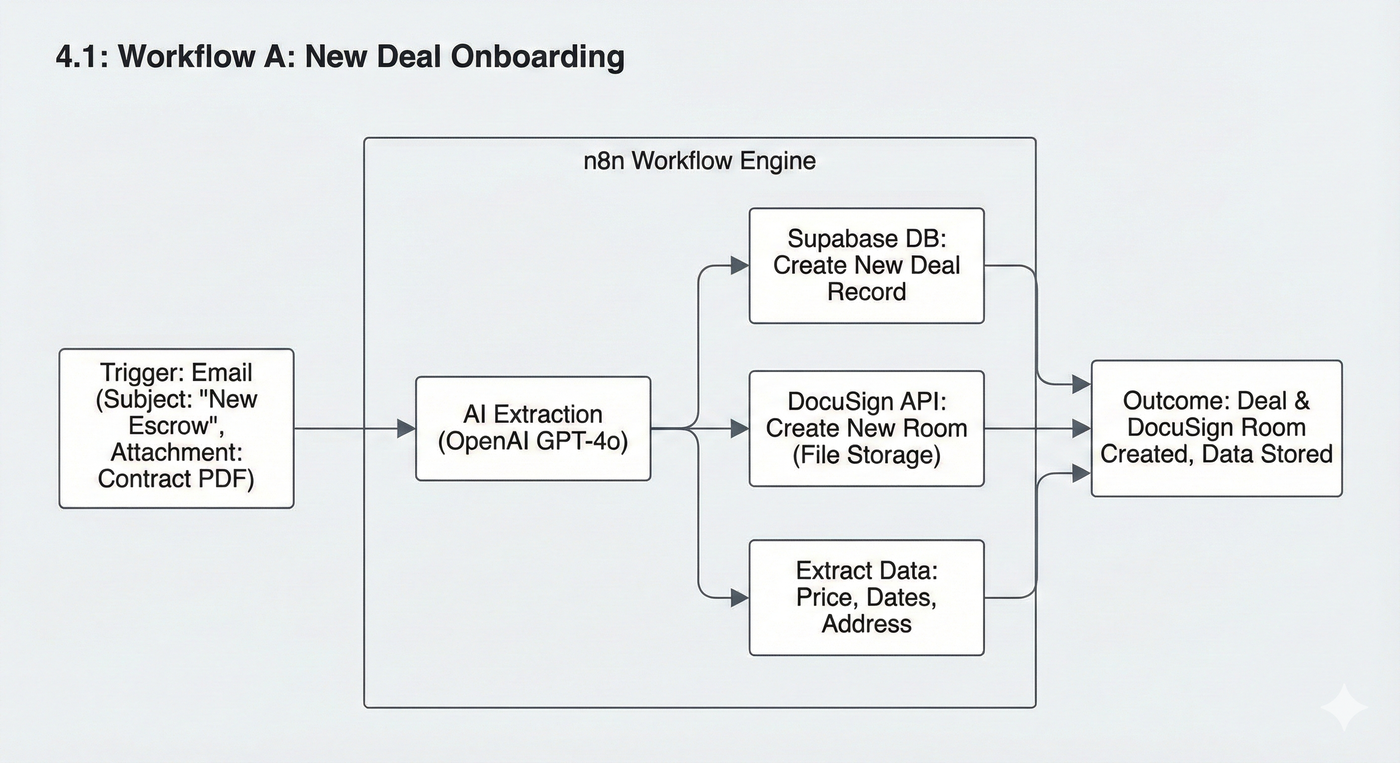
Article 4.1: Workflow A: New Deal Onboarding
The Trigger: Receiving a "New Escrow" email with a contract attached.
The Action: Extracting data (Price, Dates) via OpenAI, creating the Deal in Supabase, and Creating the DocuSign Room to serve as the deal's file storage.
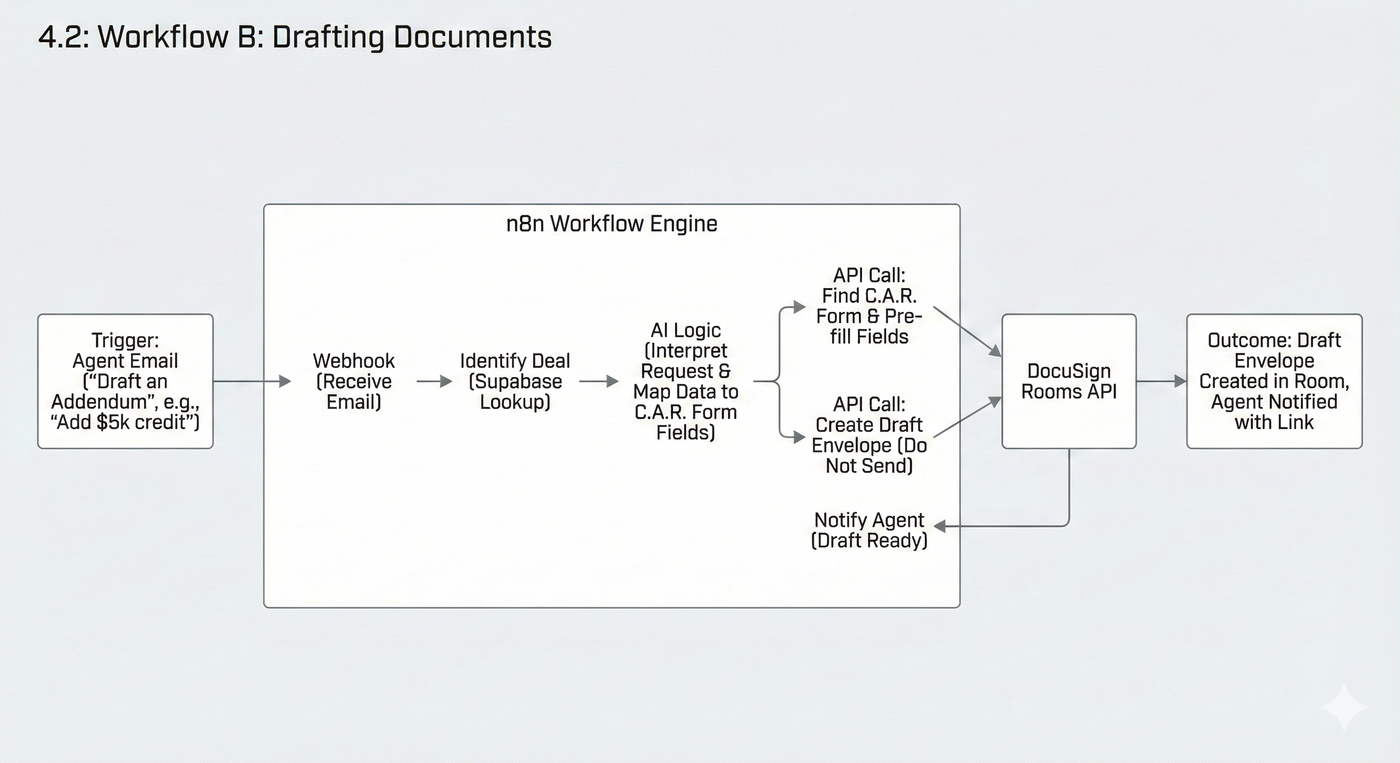
Article 4.2: Workflow B: Drafting Documents
The Trigger: Agent emails "Draft an Addendum."
The Action: Mapping the request to C.A.R. forms inside the DocuSign Room, pre-filling fields via API, and generating a "Draft" envelope.
Article 4.3: Workflow C: The "Agent Approval" Loop
The Trigger: A draft is ready for review.
The Action: Emailing the agent a "Magic Link" to the draft and waiting for the "APPROVED" signal. This is our liability shield.

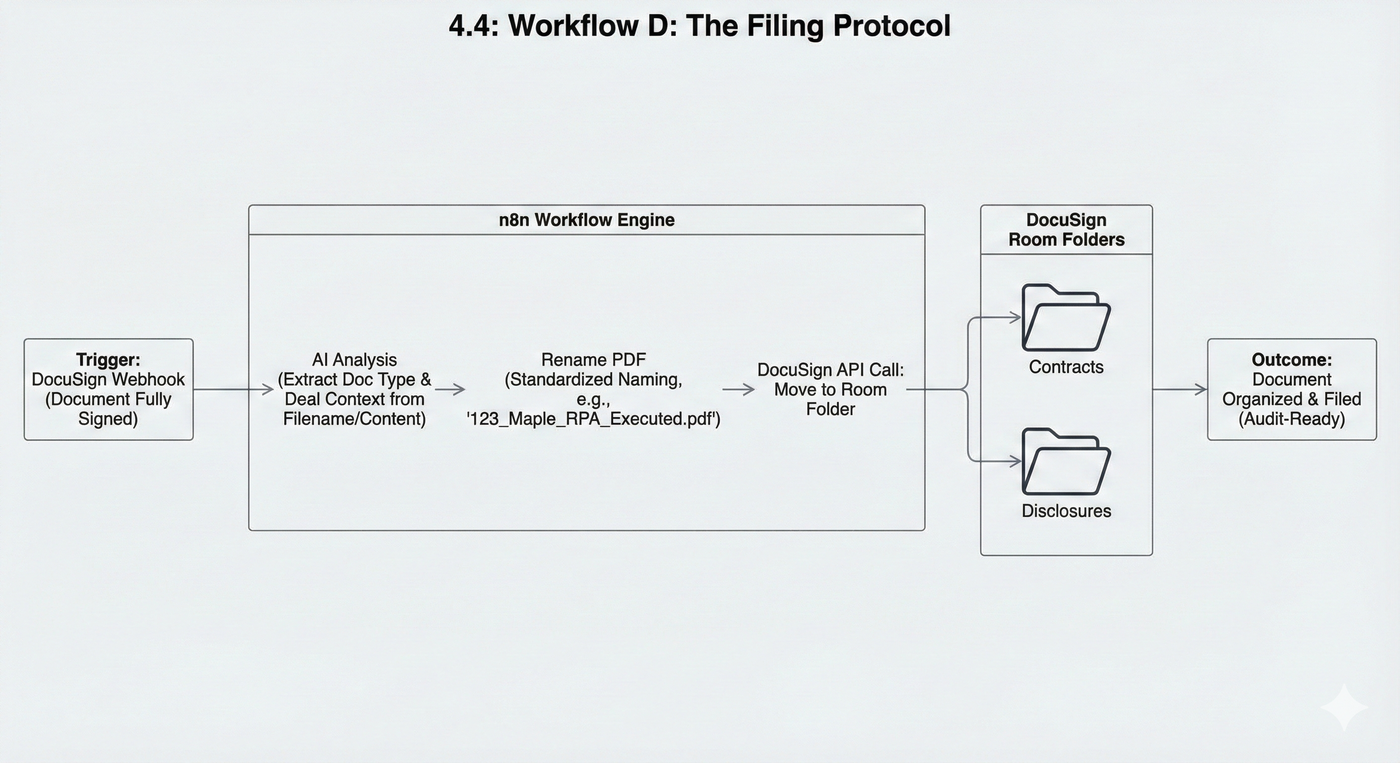
Article 4.4: Workflow D: The Filing Protocol
The Trigger: A document is fully signed.
The Action: The AI acts as the Librarian. It identifies the signed PDF, renames it (e.g.,
123_Maple_RPA_Executed.pdf), and moves it into the correct DocuSign Room Folder (e.g., "Disclosures" vs. "Contracts").
Why this is safer
By treating DocuSign Rooms as the Single Source of Truth:
We own the data. We aren't reliant on third party APIs and custom solutions. Everything goes back to our own system of record for real estate transactions.
We stay compliant. C.A.R. forms live natively in DocuSign.
Human Fallback: If a broker requires files in SkySlope, our Human TC simply logs into DocuSign, downloads the perfectly organized zip file, and uploads it to the broker's tool manually.