4.1: Workflow A: New Deal Onboarding
The "Big Bang" Moment.
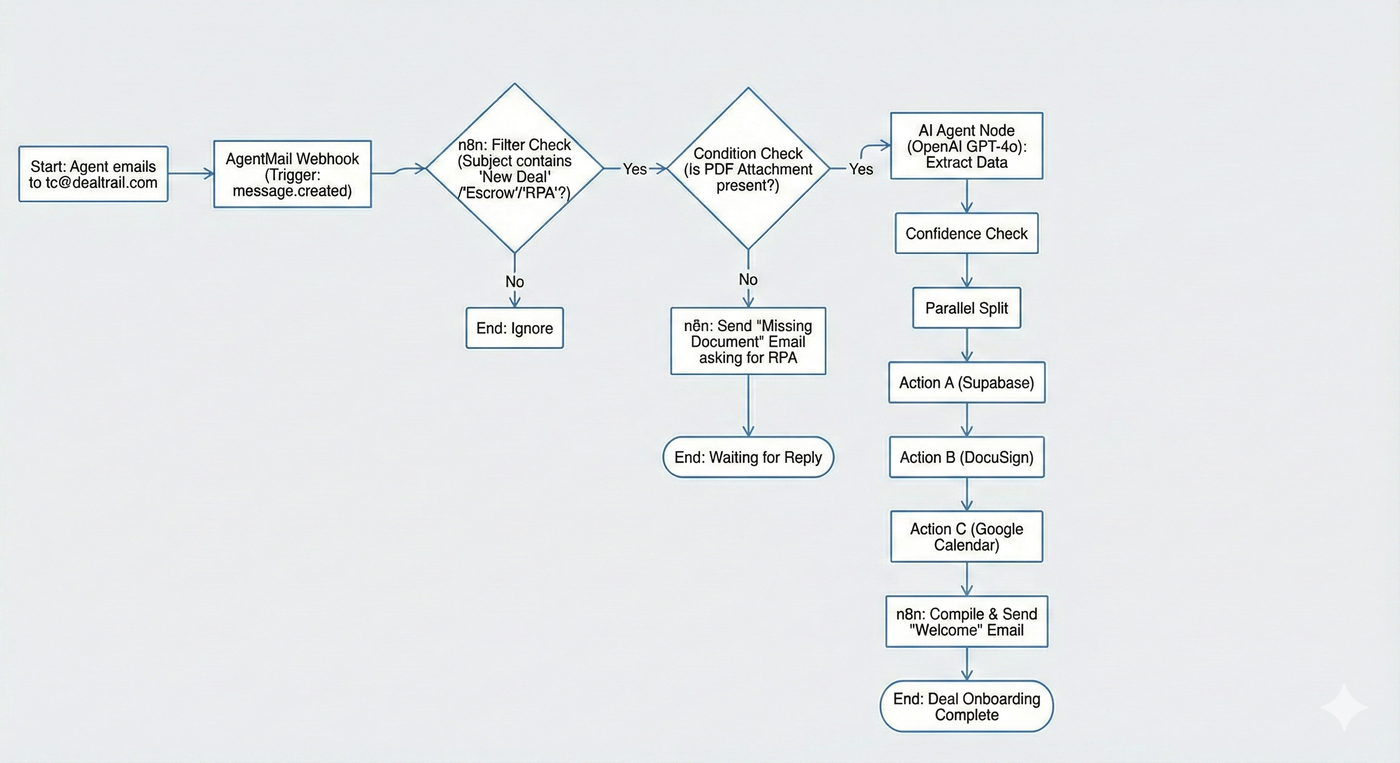
This workflow is the entry point for every dollar of revenue. It triggers when an agent forwards a signed Purchase Agreement (RPA) to tc@dealtrail.com.
Our goal: Go from "PDF in Email" to "Fully Setup Deal" in under 60 seconds without human intervention.
1. The Trigger
Source: AgentMail Webhook (
message.created).Filter: Subject contains "New Deal" OR "Escrow" OR "RPA".
Condition: Attachment must be present (PDF).
If not present, Amy emails back and says she cant open the file until she receives RPA
2. The Extraction (OpenAI)
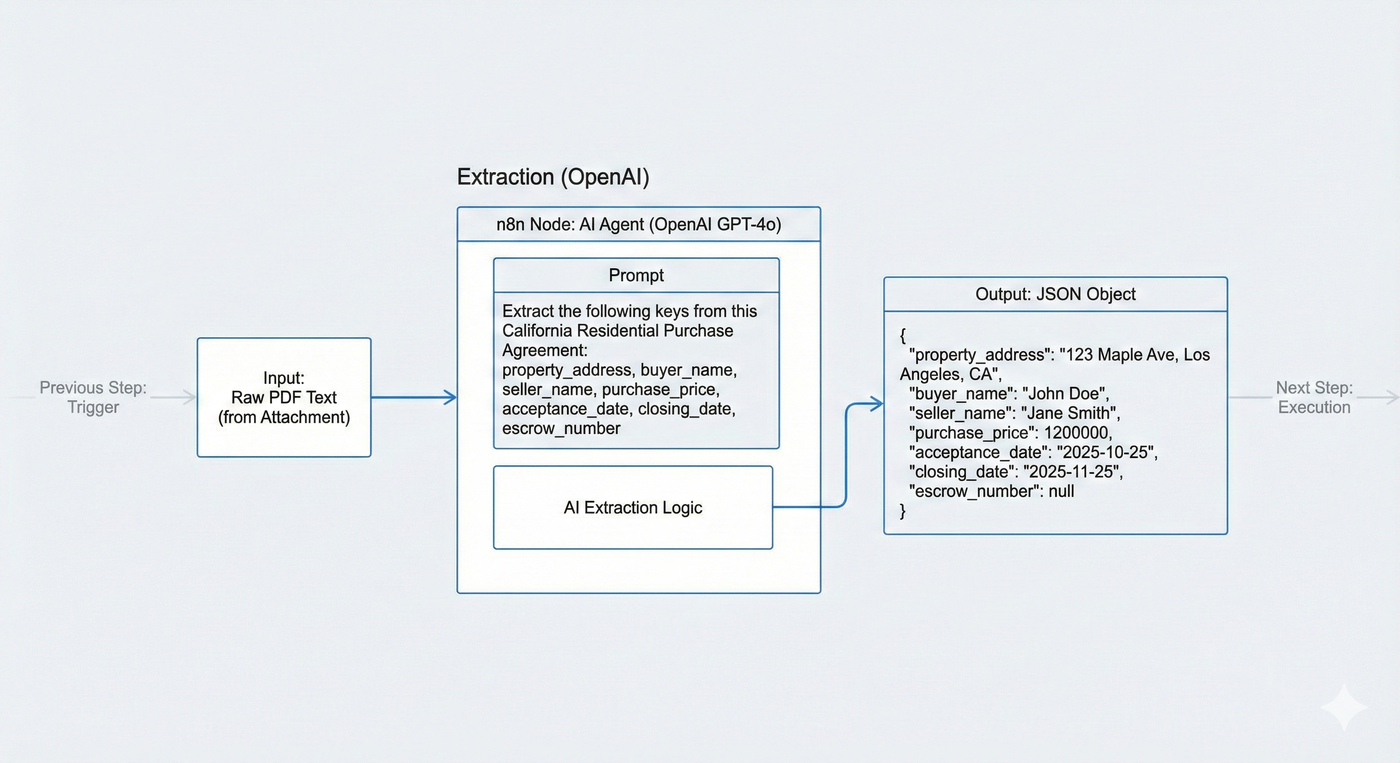
We don't ask the agent to type the price. We ask the AI to read the contract.
n8n Node: AI Agent (OpenAI GPT-4o) Input: The raw text of the PDF attachment. Prompt:
"Extract the following keys from this California Residential Purchase Agreement:
property_address(Full address)
buyer_name
seller_name
purchase_price(Number)
acceptance_date(Date)
closing_date(Date)
escrow_number(If present)"
Output: JSON Object.
3. The Execution Steps
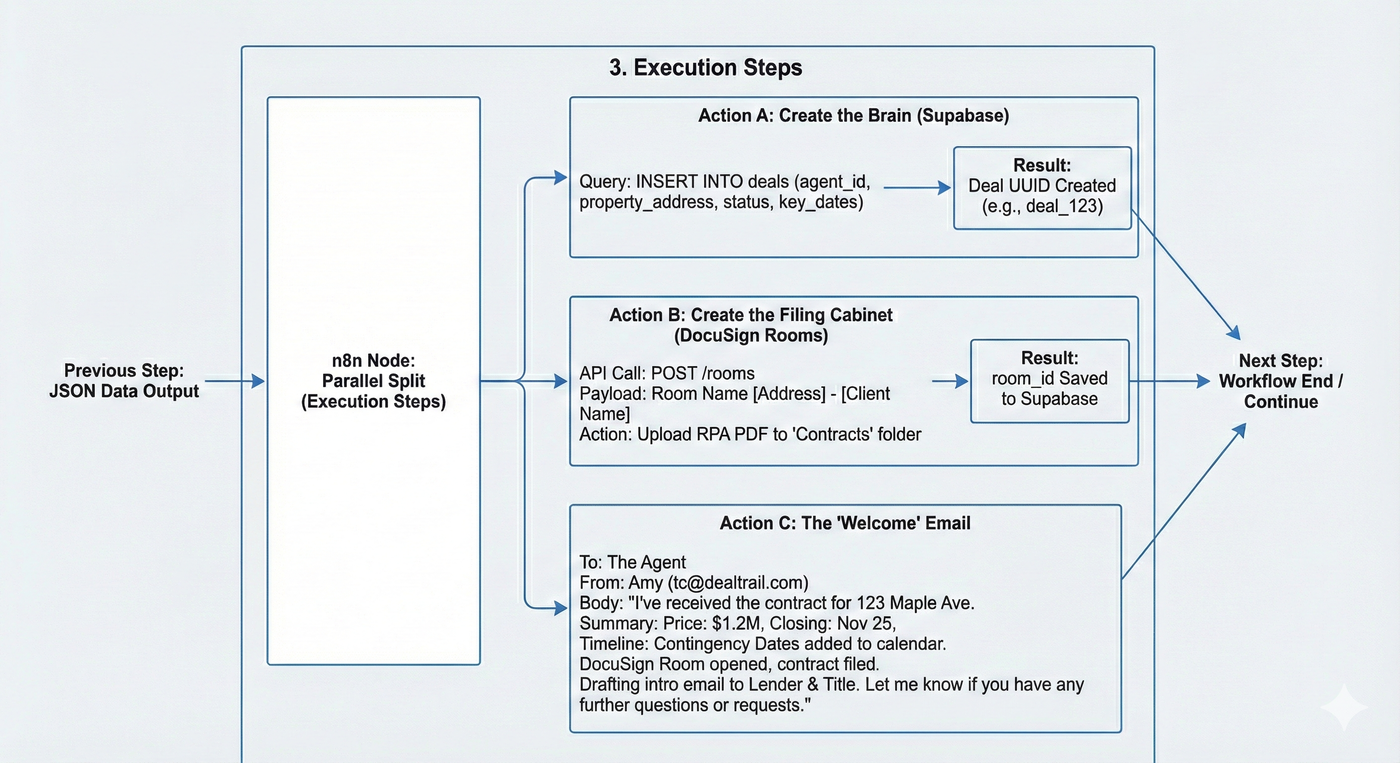
Once we have the JSON data, n8n executes these three parallel actions:
Action A: Create the Brain (Supabase)
Query:
INSERT INTO deals (agent_id, property_address, status, key_dates)Result: The deal now has a UUID (e.g.,
deal_123).
Action B: Create the Filing Cabinet (DocuSign Rooms)
API Call:
POST /rooms(DocuSign API)Payload: Name the room
[Address] - [Client Name].Action: Upload the original RPA PDF into the "Contracts" folder.
Result: We get a
room_id. We save this to Supabase.
Action C: The "Welcome" Email
To: The Agent.
From: Amy (
tc@dealtrail.com).Body:
"I've received the contract for 123 Maple Ave. Summary:
Price: $1.2M
Closing: Nov 25
Timeline: I've added the Contingency Dates to your calendar.
I have opened the DocuSign Room and filed the contract. I am now drafting the intro email to the Lender and Title officer.
Let me know if you have any further questions or requests.
4. Technical Logic (The n8n Flow)
graph TD A[Agent Emails Contract] -->|Webhook| B(n8n Router) B -->|Text Extract| C{OpenAI Node} C -->|JSON Data| D[Parallel Split] D -->|Insert Row| E[(Supabase)] D -->|Create Room| F[DocuSign API] D -->|Add Events| G[Google Calendar] E & F & G --> H[Send Confirmation Email]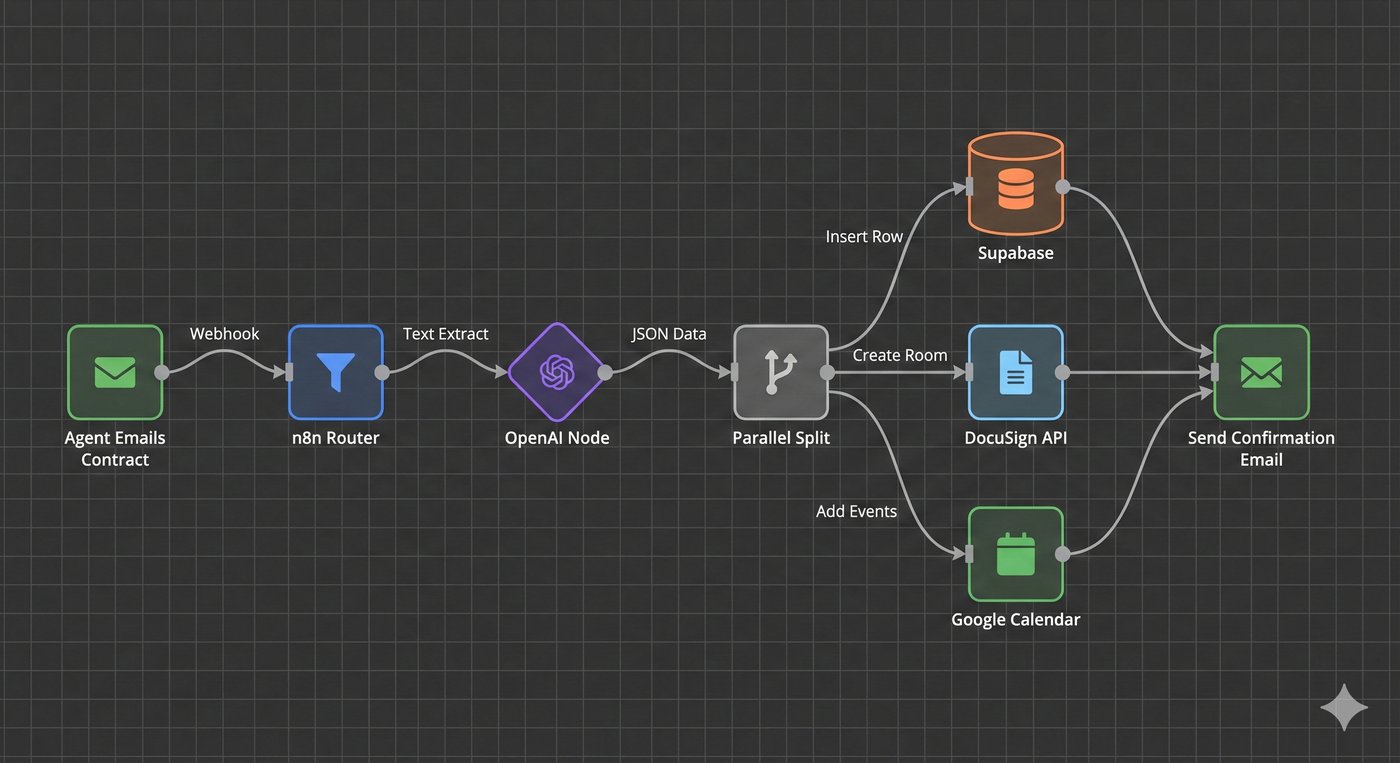
Developer Implementation Notes 📝
Confidence Check: If OpenAI returns a "Low Confidence" score (e.g., it can't find the date), do not create the deal. Instead, trigger the Ambiguity Protocol (Article 3.3) and email the agent: "I got the file, but I couldn't read the closing date. Can you reply with the date?"
Idempotency: Agents often email the same thread twice. Ensure your Supabase insert has
ON CONFLICT DO NOTHINGbased on theproperty_address+agent_idunique constraint so we don't create duplicate deals.